











When attackers turn your tools against you, only expert-managed layers stand.
What You Need to Know
Today’s attacker playbook chains small weaknesses into a breach. A typical Akira intrusion starts with a user searching for a common IT tool, landing on a look-alike site, and running a trojanized installer. The loader (often Bumblebee) establishes command-and-control (C2), enumerates the environment, and brings down a helper. Operators then push two drivers: a signed, legitimate performance-tuning driver to gain kernel privileges and a malicious helper driver to tamper with Microsoft Defender and related protections. In parallel, they test your edge—especially SonicWall SSL-VPN—for permissive portals, credentials carried over from Gen6→Gen7 migrations, and default LDAP group mappings. Once identity and endpoint telemetry are quieted, they stage encryption—frequently within 9–44 hours.
For Canadian SMBs, the fix isn’t “more tools.” It’s managed layers with authority to act. That means four coordinated defences: (1) preventive controls like HVCI/Memory Integrity, Microsoft’s Vulnerable Driver Blocklist, and application control, (2) continuous detection across identity, endpoint, and edge via EDR/XDR plus SIEM, (3) 24/7 SOC hunting and automated isolation when signals matter, and (4) tested recovery plans with immutable backups and practiced restores. HVCI and the driver blocklist materially reduce the chance that unsigned or unsafe drivers load at all, closing off the BYOVD path that attackers rely on.
Business outcomes matter more than tool counts. The right measures include mean-time-to-isolate (MTTI) under 15 minutes for high-fidelity alerts, zero externally exposed VPN portals, verified restore times within your recovery time objective (RTO), privileged access managed through just-in-time elevation, and firmware patch latency on edge devices under 14 days. These are exactly the metrics insurers and partners increasingly request, and they map cleanly to operational resilience (protecting revenue) and compliance posture (meeting requirements such as PIPEDA and Québec Law 25).
By reframing security from a reactive “incident cost” to a proactive “risk avoided,” leadership gains more than technical safeguards. Executives achieve measurable assurance for stakeholders, stronger negotiating leverage with insurers, and a competitive signal of resilience in the Canadian market. In practice, this shift means decisions can be risk-based and backed by hard metrics instead of gut feel, giving boards and investors confidence that resilience is quantifiable, defensible, and aligned to long-term business growth.
What Attackers Are Doing Now
1) BYOVD: “Bring Your Own Vulnerable Driver”
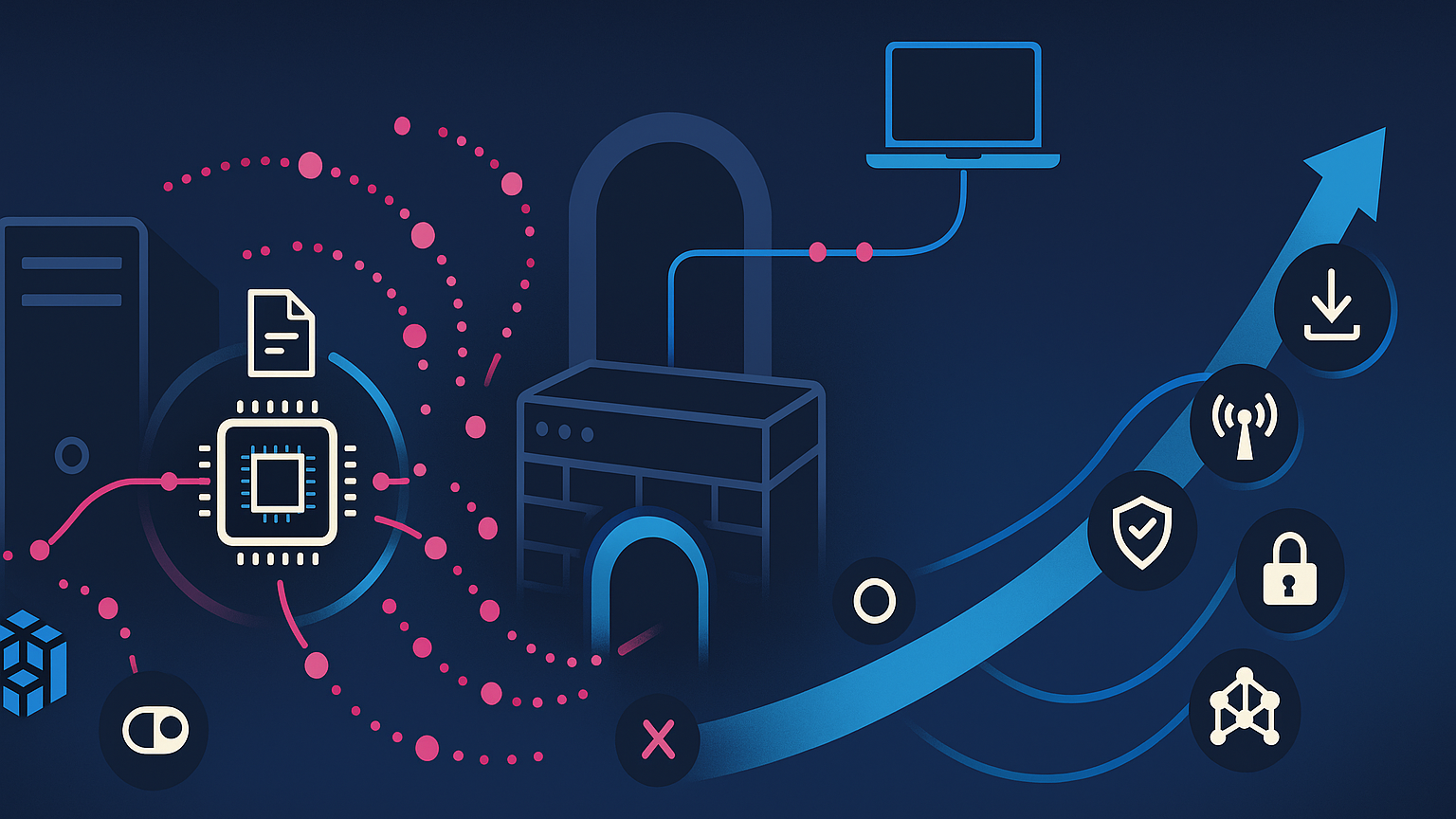
How it works. Operators drop the legitimate Intel/ThrottleStop driver rwdrv.sys to gain ring-0 access, then load a malicious helper hlpdrv.sys that modifies Defender policy keys (e.g., under HKLM\SOFTWARE\Policies\Microsoft\Windows Defender) via regedit.exe, effectively reducing or disabling protections. In the wild, services like KMHLPSVC / HlpDrv and temp-directory drops have been observed, with file paths and hashes documented by incident responders.
What to hunt for.
- Service creation events pointing to
…\rwdrv.sysor…\hlpdrv.syswith kernel service type. - Registry writes to Defender policy locations and unusual Defender CLI (
MpCmdRun.exe) invocations. - File integrity changes under
%SystemRoot%\System32\driversand%TEMP%shortly before EDR telemetry quiets down. - Known hashes/YARA for
hlpdrv.sysper IR write-ups.
Controls that bite.
- Memory Integrity (HVCI) on supported hardware (on by default on many Windows 11 devices, and strongly recommended elsewhere).
- Microsoft Vulnerable Driver Blocklist (enabled by default since late 2022 updates; also enforced when HVCI/Smart App Control/S mode are active).
- Application Control (WDAC/App Control for Business) to allow only trusted kernel modules—mandatory on finance/IT admin workstations and servers.
When you suspect kernel tampering. Isolate the host immediately; collect volatile data (driver list, service configs, recent registry writes); export CodeIntegrity/DeviceGuard logs; remove malicious services/drivers; re-enable Defender policies; rotate credentials on the host; and re-image if persistence is uncertain.
2) VPN & Edge Exploitation (SonicWall focus) (Expanded)
Observed campaign traits. Recent Akira activity correlates strongly with abuse of CVE-2024-40766 (access control) and operational missteps: Gen6→Gen7 migrations where local passwords weren’t rotated, publicly exposed Virtual Office portals, and permissive Default LDAP group mappings. Attackers authenticate from VPS ranges, then register MFA for compromised accounts—creating durable access that can survive a password reset.
Fix in this order.
- Patch & upgrade to current SonicOS (vendor recommends 7.3.x for enhanced brute-force/MFA controls) and rotate all local/LDAP credentials used for SSL-VPN after migrations.
- Reduce exposure: remove public access to admin/Virtual Office portals; allowlist trusted IPs; enable Botnet & Geo-IP filtering; enforce strict account lockout.
- Harden identity on the firewall: phishing-resistant MFA for all remote access; separate admin and user accounts; disable self-service MFA enrolment without admin approval.
- Instrument for early warning: forward logs to SIEM; alert on new MFA seeds, config exports, packet-capture start/stop, debug toggles, and country-change logins.
Proof you’re safe: no internet-exposed portals; firmware baseline documented; password rotations evidenced; LDAP group mappings reviewed and signed off; alerting tested via simulation.
3) Speed: From Initial Access to Ransomware in ~44 Hours (Expanded)
Multiple investigations place the window from first click to encryption at ~44 hours on average, and sometimes under 9 hours. Typical choreography: SEO-poisoned download → Bumblebee loader → C2 (AdaptixC2) → LSASS dump via rundll32.exe comsvcs.dll → lateral movement (SMB/WMI/remote services) → staging locker.exe with switches to hit local & remote shares → encryption and note drops.
Implication: your processes must presume short dwell time and empower immediate containment. Target MTTA <10 minutes and MTTR-to-isolate <30 minutes for high-confidence alerts. Pre-approve account lockout, MFA reset, and VPN portal lockdown; keep DFIR/insurer contacts in the playbook with 24/7 availability. Prioritise telemetry for fast triage: new kernel-service creation, spikes in failed VPN logins from VPS ASNs, Defender policy changes, sudden SMB enumeration, and archive/exfil tools.
Run the drill. Tabletop: “User installs fake IT tool” → loader beacon observed → driver tamper detected → login from new country → encryption attempt. Measure decisions/elapsed time at each gate; iterate until actions are reflexive.

Why Layered, Expert-Managed Security Is Essential
- Even signed, “legitimate” tools can be weaponised. EDR/AV alone may not see kernel‑level manipulations or subtle registry changes.
- Depth finds the telltales. Kernel events, driver/service installs, identity changes, and network beacons must be correlated across layers.
- Speed counts. If the first encryption attempt lands ~44 hours after entry, you need 24/7 eyes and the authority to act immediately.
- Edge is the new target. Firewalls/VPNs are living off the land. Misconfigurations can trump “fully patched.”
How to operationalise the layers : Treat the programme as an always‑on capability, not a one‑time project. Start by assigning clear RACI ownership for each control (identity, endpoint, edge, data, backup, logging). Create a written exceptions register for anything that can’t meet policy (e.g., legacy drivers that block HVCI); apply compensating controls (segmentation, allow‑listing, increased monitoring) and set a remediation date. Replace broad VPN access with ZTNA, granting per‑app sessions based on device health and user risk; reduce blast radius with tiered admin accounts and just‑in‑time elevation.
Automate containment using SOAR playbooks so high‑confidence detections (e.g., new kernel service + Defender policy write) trigger auto‑isolation and MFA reset without human delay. Instrument the edge: forward firewall/VPN logs, alert on new MFA seeds, config exports, and admin portal hits from new ASNs. Finally, bake resilience into the business: immutable backups, quarterly timed restores, and tabletop exercises that include legal, comms, finance, and insurers.
KPIs & SLOs that prove it’s working: coverage (% of endpoints with HVCI and the Vulnerable Driver Blocklist enabled), MTTA and MTTR‑to‑isolate for high‑fidelity alerts, time‑to‑patch firewall firmware, % of users behind ZTNA vs. full‑tunnel VPN, count of standing privileged accounts (target → near‑zero), success rate and elapsed time for restore drills by workload, and number of externally exposed services (target → zero). Track false‑positive rate and analyst workload to ensure signal quality; tune detections monthly.
Assurance & continual improvement: Map detections and controls to MITRE ATT&CK tactics, then run quarterly purple‑team or adversary‑emulation exercises focused on BYOVD + edge abuse. Validate detections end‑to‑end (did the rule fire? was the host isolated? were credentials reset?). Extend visibility to SaaS and IdP logs (e.g., MFA enrollment, token lifetimes), and monitor change management so config drift doesn’t re‑open doors. Report a single‑page executive scorecard monthly with trend arrows and owner actions. The outcome: layered defences that are measurable, fast, and resilient—turning “single control failure” events into brief, containable incidents.
What “Good” Looks Like
Identity & Access. Make phishing-resistant MFA (security keys or number-match push) the default; apply conditional access by user risk, device health, location, and time; enforce JIT admin; rotate service-account credentials; and alert on directory changes that grant admin or change MFA seeds.
Endpoint. Turn on Memory Integrity (HVCI) where supported; enforce the Microsoft Vulnerable Driver Blocklist; use App Control (WDAC/App Control for Business) on privileged systems; set EDR detections for driver/service creation and Defender policy tampering.
Network/Edge. Patch/upgrade SonicOS; rotate passwords after Gen6→Gen7 migrations; restrict Virtual Office to trusted IPs; enable Geo-IP/Botnet filters; move toward ZTNA for per-app access; alert on packet capture start/stop, config exports, and admin logins from new ASNs.
Email/Web. Use an SEG with impersonation and sandboxing; block new/low-reputation domains (SEO-poisoning defence); apply DNS security.
Data Protection. Classify sensitive data; enforce DLP for risky roles (finance, legal, sales ops); encrypt at rest/in transit.
Backup & BCDR. 3-2-1 with offline/immutable copies; quarterly restore tests; practice ransomware-specific recoveries (e.g., hypervisor datastore encrypted, partial AD loss).
Logging & Analytics. Centralise VPN, identity, EDR, firewall, SaaS logs; create correlation rules that combine weak signals (e.g., new kernel service + new local admin + after-hours VPN success).
Response & Assurance. SOC runbooks with auto-isolation, MFA reset, portal lockdown; quarterly purple-team focus on BYOVD + edge abuse.
Action Plan
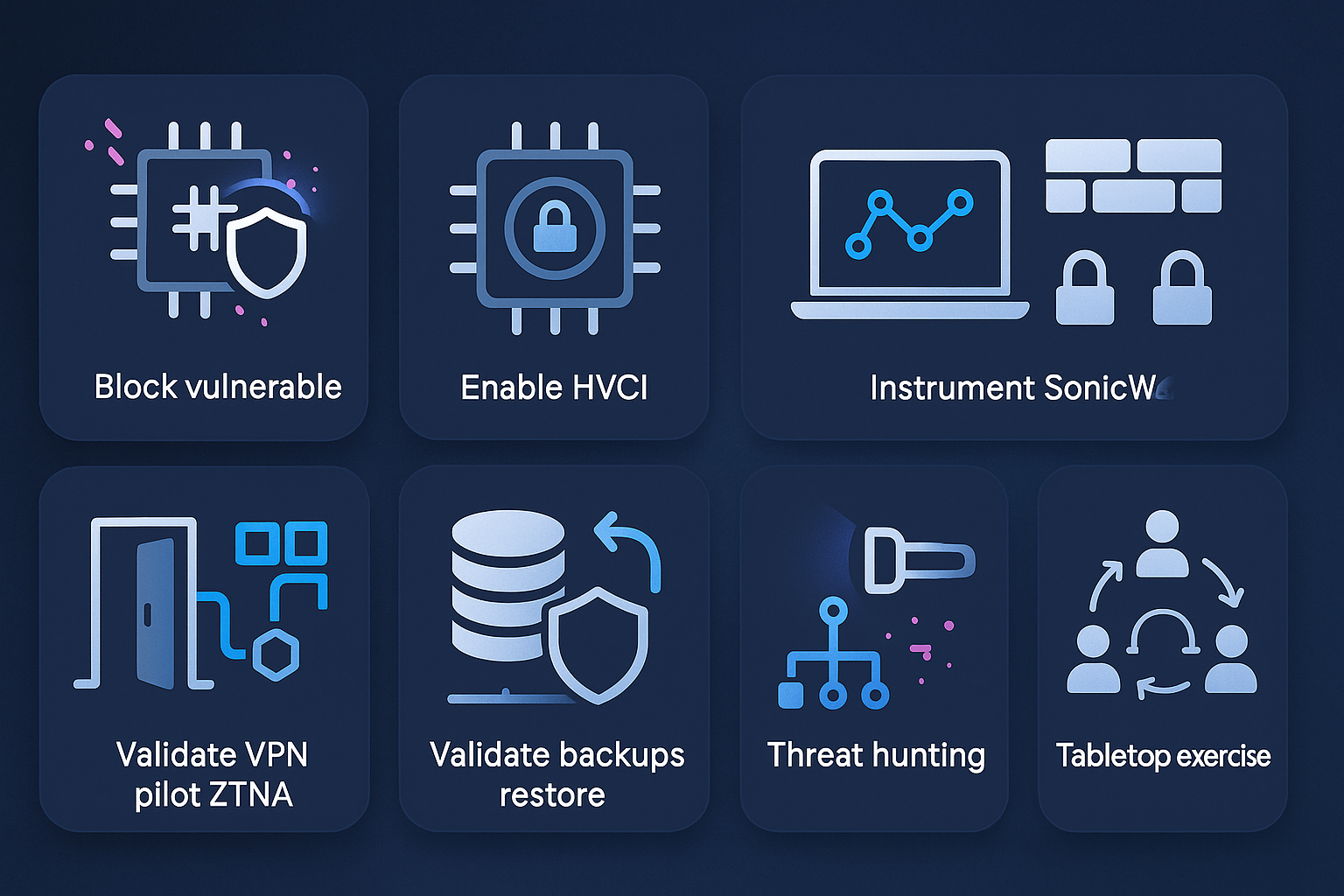
Block & monitor vulnerable drivers and enable the Microsoft Vulnerable Driver Blocklist.
• Why it matters: Stops common BYOVD workflows before kernel access.
• Owner: IT / MSSP.
• Timeline: 0–7 days.
• Success: Driver loads blocked; no new unsigned kernel services observed.
Enable Windows Core Isolation / Memory Integrity (HVCI) across supported endpoints.
• Why it matters: Prevents unsigned/unsafe drivers from loading at all.
• Owner: IT.
• Timeline: 0–14 days (phased).
• Success: ≥95% of fleet with HVCI ON; compatibility exceptions tracked and mitigated.
Instrument EDR + SIEM for behaviour: driver/service creation, Defender policy registry changes, and reg.exe/regedit.exe abuse.
• Why it matters: Detects evasive tampering even if AV is disabled.
• Owner: MSSP.
• Timeline: 0–14 days.
• Success: Alert fidelity >90%; MTTR-to-isolate <30 minutes.
Harden SonicWall: patch to current release; rotate local & LDAP creds (esp. post Gen6→Gen7); restrict Virtual Office to trusted IPs; review default LDAP groups; enforce MFA with admin-approved enrollment.
• Why it matters: Closes a dominant initial-access path and blocks MFA seeding with stolen creds.
• Owner: Network / MSSP.
• Timeline: 0–7 days.
• Success: External scans clean; portals not internet-exposed; password rotation complete.
Throttle and shrink VPN: enable Geo‑IP and rate‑limits on SSL‑VPN; consider temporary disablement during investigation; pilot ZTNA for per‑app access.
• Why it matters: Reduces credential‑stuffing and “living‑off‑the‑portal.”
• Owner: Network / MSSP.
• Timeline: 0–30 days.
• Success: Failed auths drop materially; ZTNA pilot active for priority users.
Validate backups & hypervisor snapshots; perform a timed restore from a clean, offline copy.
• Why it matters: Ensures recovery even if encryption lands.
• Owner: IT / BCDR.
• Timeline: 0–14 days.
• Success: Bare‑metal/server restore meets documented RTO/RPO.
Threat‑hunt for Akira IOCs/TTPs: driver service names, drop paths, unusual SMB/ShareFinder use, DNS zone exports, Bumblebee/AdaptixC2 traces.
• Why it matters: Finds intruders already inside; shortens dwell time.
• Owner: SOC.
• Timeline: Start in 0–7 days; then weekly.
• Success: Hunt cadence in place; findings remediated within SLA.
Tabletop: “VPN → BYOVD → encryption” with exec/IT/MSSP.
• Why it matters: Confirms decision rights; reduces response latency under pressure.
• Owner: Exec + IT + MSSP.
• Timeline: 0–30 days.
• Success: Playbook improvements logged; measurable time reductions next drill.
Tip: HVCI Compatibility
Inventory blockers. Use Device Security → Core Isolation UI, Code Integrity logs, and endpoint inventory to list kernel drivers blocking HVCI. Work vendors for signed, HVCI-compatible updates; where none exist, segment those endpoints to a restricted VLAN, remove local admin, and enforce application allow-listing. HVCI is on by default for many Windows 11 devices and can be managed at scale; it also enforces the vulnerable driver blocklist.
Roll out in rings. Pilot on IT/security workstations, then modern hardware across the business, then legacy fleets with compensating controls. Track BSOD rates (should be near zero), CPU overhead (low on supported hardware), and helpdesk tickets (driver conflicts). For stubborn apps, consider virtualising the app or running it server-side to bring endpoints up to standard.
Have rollback + re-enable plans. Document GPO/Intune profiles for both, with deadlines. The aim is maximum coverage quickly while isolating exceptions and shrinking their blast radius.
Practical Leadership Checks
- Show me the last 30 days of driver‑block events and the current HVCI coverage.
- Prove our SonicWall/edge portals aren’t reachable from the open internet.
- Demonstrate a 15‑minute endpoint isolation from alert to action.
- Restore a server from an offline backup and report the elapsed time.
- Report how many accounts can approve their own MFA changes.
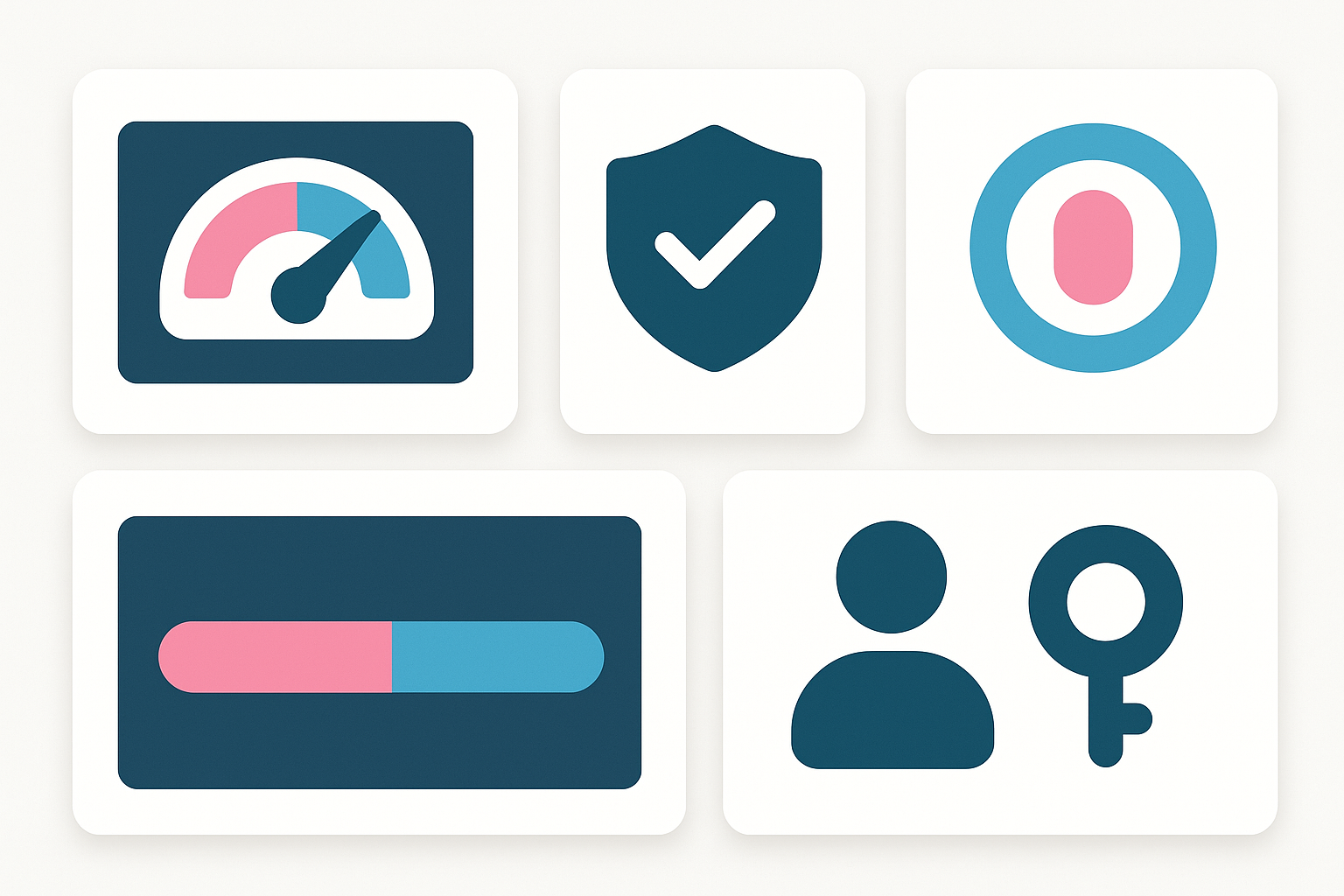
Cadence & thresholds (add this to your governance): Review these metrics weekly in ops and monthly at the executive level with RAG thresholds: HVCI coverage ≥90% (green); externally exposed portals = 0 (green); MTTA <10 min and MTTR‑to‑isolate <30 min; last restore test met RTO; 100% of privileged accounts use JIT; all exceptions have owners and expiry dates. Require an evidence pack each month: screenshots, SIEM query IDs/runs, external scan reports, and drill artefacts (tabletop notes, restore logs). No screenshots, no credit—keep it objective.
Fusion Cyber Group: Why Expert-Managed Layers Win (Expanded)
24/7/365 SOC with authority to act. We correlate kernel-level events, identity changes, and edge logs in one place and isolate hosts within minutes. Pre-approved actions include account lock, MFA reset, VPN portal lockdown, and malicious driver/service removal.
Proactive hunting & tuning. Weekly hunts for BYOVD artefacts, SonicWall-abuse patterns, MFA seeding, and SEO-poisoned downloads. We continuously tune detections to cut noise and shorten MTTA.
Attack-path remediation. We don’t just alert—we fix the causes: remove public portals, rotate carried-over passwords, clean up default LDAP groups, enforce phishing-resistant MFA, and implement least-privilege admin.
Recovery you can trust. Immutable backups, restore runbooks, quarterly exercises, and a direct escalation path to DFIR. Our financially-backed Cybersecurity Guarantee covers fully onboarded clients for incident response, containment, and business recovery at our expense if a breach occurs—our incentives align with yours.
Outcome reporting. Monthly exec scorecards covering HVCI coverage, driver-block events, portal exposure, hunt findings, and MTTA/MTTR—so you can show measurable risk reduction to boards, auditors, and insurers.
Featured links:
24/7 Managed Detection & Response
FAQ:
We’re patched—why still worry about SonicWall?
Patching is necessary, not sufficient. Misconfigurations, legacy credentials from Gen6→Gen7 migrations, and exposed portals enable authenticated abuse. Lock portals to trusted IPs, rotate creds, enforce phishing-resistant MFA, and continuously forward/alert on firewall and VPN logs.
What KPI proves our SOC is effective?
Measure mean time to acknowledge and isolate (MTTA/MTTR-to-isolate) for high-fidelity alerts. Target <10 minutes MTTA and <30 minutes isolation. Also track driver-block events, ZTNA adoption, zero public portals, and quarterly restore drill timings.
SITUATION
SMBs adopted modern tools (EDR/XDR, MFA, cloud backups) and feel “mostly covered.”
COMPLICATION
Ransomware groups like Akira now weaponise legitimate signed drivers and target SonicWall SSL‑VPN to bypass protections and move fast.
QUESTION
If advanced tools can be disabled, what actually keeps an SMB safe?
ANSWER
A multilayer approach run by certified experts: harden the edge, monitor endpoints and identities, correlate logs in a SIEM, hunt 24/7 in a SOC, and respond instantly—backed by proven playbooks.
Our Cybersecurity Guarantee
“At Fusion Cyber Group, we align our interests with yours.“
Unlike many providers who profit from lengthy, expensive breach clean-ups, our goal is simple: stop threats before they start and stand with you if one ever gets through.
That’s why we offer a cybersecurity guarantee: in the very unlikely event that a breach gets through our multi-layered, 24/7 monitored defenses, we will handle all:
threat containment,
incident response,
remediation,
eradication,
and business recovery—at no cost to you.
Ready to strengthen your cybersecurity defenses? Contact us today for your FREE network assessment and take the first step towards safeguarding your business from cyber threats!