













In the ever‑evolving landscape of cybersecurity, the assets layer is the ground truth your entire stack relies on. If you don’t know exactly which devices, cloud services, SaaS apps, identities, data stores, and third‑party dependencies you own, you can’t protect them—or prove it. Think of this layer as your living register: a single, authoritative source that says what exists, who owns it, how important it is, and whether it’s protected.
Most incidents start with something unknown or unmanaged: a forgotten laptop, an unmonitored SaaS connector, a stale admin account, an outdated plug‑in. A strong assets layer exposes these blind spots and closes them before they turn into breaches.
Why Is the Assets Layer Important?
A healthy assets layer shrinks your attack surface and shortens response time. For Canadian SMB teams, the payoffs are practical and measurable:
- Operational clarity. Unknown ≈ unmanaged. Continuous discovery and ownership turn guesswork into a queue you can work down.
- Faster incident response. When something trips an alarm, responders pivot by asset, owner, and criticality—no hunting through spreadsheets.
- Insurance & audit readiness. Insurers and regulators increasingly expect proof of coverage (MFA, patching, EDR, backups). A live inventory connects controls to the systems that matter and helps avoid claim denials.
- Lower cost. Eliminate duplicate tools, unused licences, and zombie workloads. Budget aligns to what you actually run.
- Privacy accountability. Mapping assets to data sensitivity and owners supports PIPEDA and Québec Law 25 obligations, breach reporting, and client assurances.
- Business continuity. When an outage or incident hits, the register shows dependencies (what breaks if this server or SaaS app fails), accelerating triage and recovery.
Executive takeaway: When the assets layer is healthy, patch windows are met, onboarding/offboarding is predictable, renewals run faster, and leadership can fund security with confidence because coverage is visible and improvement is trackable.
Read More about the 7 Layers of Cybersecurity
Key Implementations of the Assets Layer (Deeper Dive)
Below are the ten building blocks we deploy repeatedly for SMBs. For each, we include objective, practical steps, pitfalls to avoid, and a KPI you can publish.
1) Continuous Discovery & Reconciliation
Objective. Find devices, users, apps, cloud resources, and integrations continuously—not once a quarter.
Implement. Combine EDR/XDR endpoints, MDM/UEM, directory/IdP (Entra ID/Google/Okta), network scanning, and cloud/SaaS exports. Schedule a nightly job that deduplicates by serial/MAC/hostname/user and flags unknowns.
Pitfalls. Treating discovery as a one‑time project; ignoring contractors and seasonal staff; not scanning guest/VLAN segments.
KPI. MTTD‑U: mean time to discover unknown devices/users/apps (<24 h target).
2) Unified Asset Register (CMDB/ITAM)
Objective. One trustworthy list that operations, security, and finance all agree on.
Implement. Track required fields: owner; business unit; criticality (High/Med/Low); environment (prod/dev/test); lifecycle (active/EOL); control coverage (EDR, patching, backups, encryption, MFA); data sensitivity (PII, financial, IP). Use tags like owner:, criticality:, env:, data:, eol: for automation.
Pitfalls. Free‑form notes; duplicate records; no required fields at onboarding.
KPI. % of assets with owner + criticality + coverage tags (target ≥95%).
3) Identity & Account Inventory
Objective. Ensure every human and service account is known, least‑privilege, and owned.
Implement. Export accounts and roles from the IdP, SaaS admins, and key apps; map to people or systems; enforce joiner‑mover‑leaver (JML) workflows (same‑day disable on exit). Inventory API keys, OAuth apps, and SSH/service accounts.
Pitfalls. Orphaned mailboxes; shared admin passwords; long‑lived tokens.
KPI. % identities with MFA; % privileged roles reviewed monthly (targets: ≥98%, 100%).
4) Cloud & SaaS Enumeration
Objective. Capture what runs in your tenants and who can touch it.
Implement. Pull resource lists from M365/Google, IaaS/PaaS (Azure/AWS), CRM/finance/HR, and major integrations. Record OAuth scopes and last‑used dates. Alert on new high‑privilege connections.
Pitfalls. Shadow SaaS signups; stale connectors with broad scopes; no owner.
KPI. % SaaS apps with named owner + reviewed scopes (target ≥90%).
5) Vendor & Dependency Catalogue
Objective. Know which partners and third parties your operations rely on.
Implement. List MSP/MSSP, ISP/DNS, email security, payment, backups, logistics, and critical APIs. Record data residency, SLAs, security contacts, breach notice clauses, and offboarding steps.
Pitfalls. Paying invoices for vendors you can’t inventory; unknown emergency contacts.
KPI. Vendor catalogue completeness; % vendors with security addendum (target ≥95%).
6) Data Mapping
Objective. Tie assets to the sensitivity of the data they store or process.
Implement. Identify databases, storage accounts, file shares, SaaS objects; tag with PII/financial/IP; record retention, encryption, and backup status; link to system owners.
Pitfalls. Treating “the cloud” as a single place; ignoring exports and ad‑hoc spreadsheets.
KPI. % critical data stores with backups tested quarterly (target 100%).
7) Coverage Controls
Objective. Ensure required protections are installed and healthy.
Implement. Define baseline per asset type: EDR/XDR, MDM/UEM, disk encryption, patching, backups, email/DNS filtering, DLP where applicable. Use compliance policies to block access for devices without agents.
Pitfalls. Counting licences instead of checking active, healthy agents.
KPI. Coverage: EDR/patch/backups per managed asset (target ≥95%, push to ≥98%).
8) Tagging & Classification
Objective. Make automation easy and exceptions rare.
Implement. Enforce a short, consistent tag set at onboarding. Example required tags: owner, criticality, env, data, eol. Require an exception: tag with expiry for deviations (e.g., legacy OS) and a defined reviewer.
Pitfalls. Creative tags; no expiry on exceptions; tags not applied to SaaS.
KPI. % assets with all mandatory tags; # expired exceptions (target 0).
9) Lifecycle & Change
Objective. Reduce risk at the edges—procurement and disposal.
Implement. Attach inventory to purchase orders; block assets from production until agents + tags are present. For decommissioning, record data sanitization (wiped/destroyed) and asset disposition certificate.
Pitfalls. Ghost devices after offboarding; no proof of destruction.
KPI. % assets onboarded with full tags day‑1; time to retire EOL (<30 days).
10) Evidence & Reporting
Objective. Prove security with simple, truthful numbers.
Implement. Publish monthly: coverage by business unit; unknowns discovered; patch SLA adherence; privileged role reviews; backup test results; exception backlog with expiries.
Pitfalls. Vanity metrics; hiding misses; no owner per metric.
KPI. Executive one‑pager delivered monthly with one decision request.
Public Reality (Cloud, SaaS & Third Parties)
Public‑facing systems and integrations are convenient—and risky. Common issues include shadow SaaS signups, stale tokens, over‑permissive OAuth scopes, and unmanaged contractor endpoints.
Identity and Device Health First
Enforce SSO + MFA everywhere, with phishing‑resistant methods for finance and admin roles. Require healthy, encrypted devices for administrative access (block jailbroken/unsupported OS). Tie device compliance to access with conditional policies.
Control What Reaches You
Put managed protections (WAF/API security, email filtering, DNS filtering) in front of exposed services. Record which systems sit behind each control, test quarterly, and track coverage as a KPI (e.g., 100% of public endpoints behind WAF/API security).
Broker Third‑Party Access
Grant short‑lived, scoped credentials; centralize approval; review access monthly. Terminate automatically on project end or vendor change. Keep a vendor contact sheet with 24/7 incident numbers.
Practical Hygiene
Rotate tokens quarterly (or on staff changes), remove unused apps, and forbid unmanaged storage for sensitive files. Include vendor security addenda during procurement—not after an incident.
What “Good” Looks Like (Maturity Snapshot)
Foundational.
- Nightly discovery; unknowns triaged weekly.
- One asset register with owners, criticality, data tags, lifecycle.
- SSO + MFA enforced for all; EDR/patch agents on all managed endpoints.
- Data stores listed with backup status; vendor list captured with SLAs.
- Evidence pack (coverage exports, MFA policy, patch results) created quarterly.
Advanced.
- Cloud/SaaS inventory automated; OAuth scopes reviewed monthly.
- JML wired to HR for same‑day access changes; privileged access reviewed monthly.
- Coverage >95% for EDR/patch/backups; unknown devices blocked by default.
- EOL replacements scheduled and tracked; exception backlog with expiries.
- Tabletop exercise completed; lessons fed into tags/runbooks.
Optimal.
- CAASM/ASM consolidates feeds; service accounts rotated automatically.
- SaaS posture managed continuously; drift alerts to SIEM/XDR and SOC.
- Evidence pack generated on demand; business‑unit scorecards in leadership deck.
- Continuous improvement cycle (quarterly): trend reviews, budget tie‑backs, risk acceptance register.
Self‑check (five questions). Do we discover new devices/users within 24 hours? Can we show agent/patch/backup coverage by business unit? Are all admin roles least‑privilege and reviewed monthly? Do we know where regulated data lives and who owns it? Can we retire any asset with proof of sanitization within days?
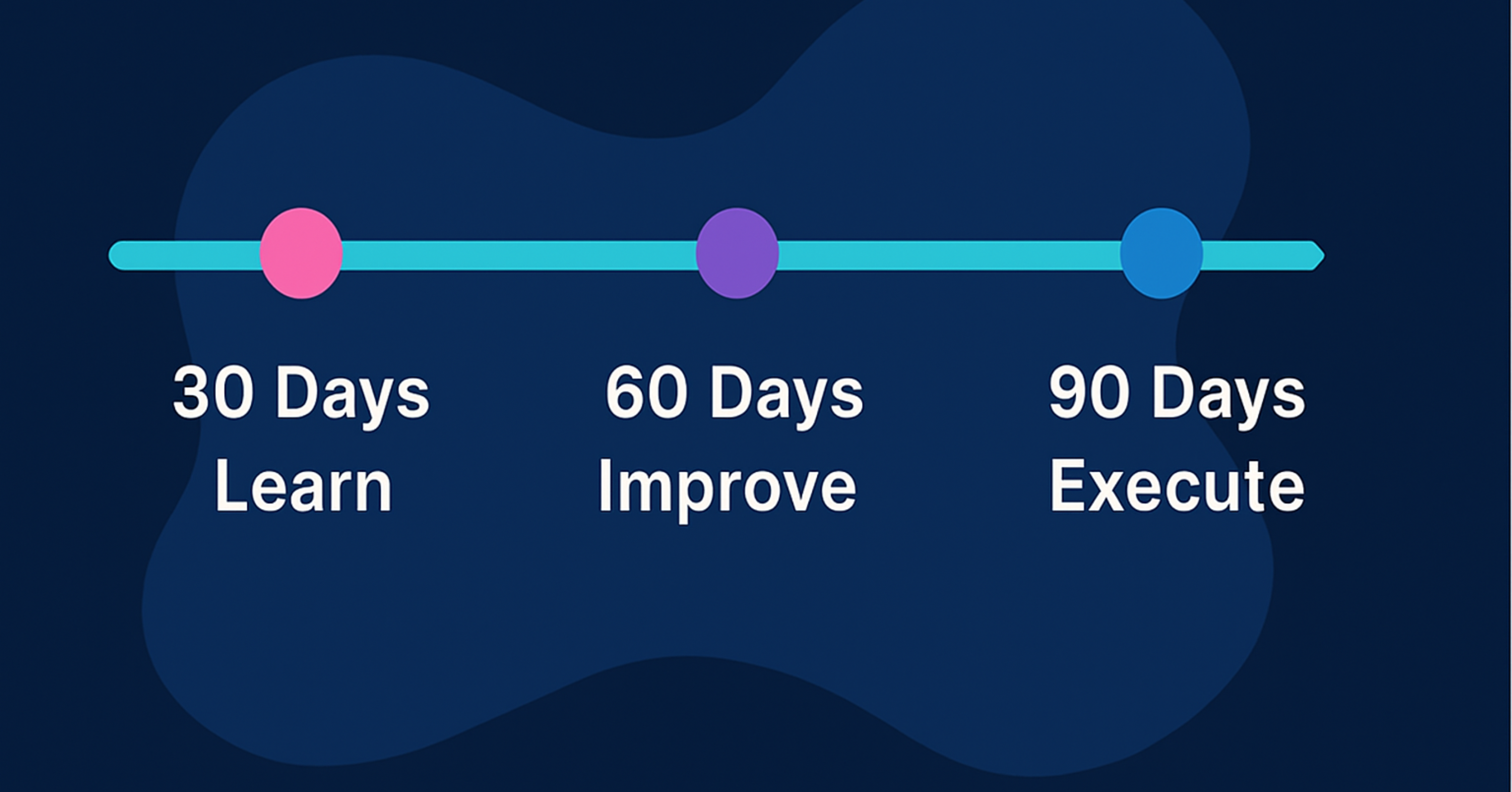
30–60–90 Day Plan (Right‑Sized for SMBs)
Days 1–30 — Stabilize & See (Owner: IT Lead; Sponsor: COO/CFO)
- Aggregate discovery from EDR/MDM/IdP/cloud into one register; deduplicate; tag owner/criticality/data.
- Block unknowns from network/VPN/SSO until registered; publish the backlog.
- Enforce MFA for all users; require phishing‑resistant methods for admins/finance.
- Quick wins: remove stale admin accounts; tag/schedule EOL replacements; back up critical data stores; document top 10 SaaS apps and owners.
- Artefacts: asset register v1; MFA policy; patch severity matrix; vendor contact list.
- Exit criteria: ≥90% assets tagged; ≥95% MFA on identities; unknowns aged >7 days = 0.
Days 31–60 — Harden & Automate (Owner: Security/SOC; Support: IT Ops)
- Wire JML so hires, role changes, and exits update access and device state the same day.
- Set patch SLAs by severity and asset criticality; auto‑open tickets for misses.
- Automate SaaS/OAuth exports; alert on new high‑privilege connections; review scopes.
- Add vendor inventory to the register, including SLAs, contacts, data residency, and offboarding runbooks.
- Artefacts: JML runbook; OAuth review checklist; patching dashboard; vendor offboarding checklist.
- Exit criteria: coverage ≥95% (EDR/patch/backups); JML latency ≤1 business day.
Days 61–90 — Modernize & Measure (Owner: vCISO/IT Director)
Exit criteria: ≥98% coverage on EDR/patch/backups; 100% privileged roles reviewed monthly; evidence pack generated in <1 hour.
Introduce CAASM/ASM or consolidate feeds into SIEM/XDR for correlation and hunting.
Publish a one‑page brief: coverage trends, MTTD‑U, exception backlog, decisions needed.
Run a tabletop (lost laptop, compromised API token, rogue contractor); update tags/runbooks.
Artefacts: executive brief template; evidence pack; tabletop outputs; updated risk register.
Owners & Artefacts (RACI‑Style)
- Executive Sponsor (COO/CFO). Sets policy, approves risk exceptions with expiry, funds replacements. Accountable.
- IT Lead / vCIO. Owns the asset register, tags, integrations, and lifecycle. Responsible.
- Security Lead / vCISO. Defines coverage standards (MFA, patch, EDR, backups), reviews exceptions, and produces the evidence pack. Accountable.
- Asset Owners (Dept Heads). Validate accuracy monthly; confirm data classification and business criticality. Responsible.
- Finance/Procurement. Aligns purchases, contracts, and EOL budgets; ensures vendors are inventoried before payment. Consulted.
- SOC (Fusion Cyber). Monitors drift, correlates anomalies, and responds 24×7×365. Responsible/Consulted.
Core artefacts to maintain: live asset register; JML runbooks; vendor catalogue with SLAs and data residency; data map; exception log with expiry; monthly brief; evidence pack (coverage exports, MFA posture, patch SLA results, backup test reports).
Policy snippet (use/adapt). “All assets (devices, cloud resources, SaaS apps, identities, data stores) must be registered with owner, criticality, environment, lifecycle, and coverage tags prior to production use. Exceptions require exception: tag with expiry ≤90 days and executive sponsor approval.”
Metrics That Show Real Risk Reduction (with Targets)
- Coverage: % assets with EDR/MDM/backup agents; % identities with MFA; % public endpoints behind WAF/API security. Targets: 98% / 98% / 100%.
- Hygiene: Patch SLA compliance by severity (Critical 7 days, High 14 days, Medium 30 days); days to retire EOL assets (<30 days); credential/key rotation time (<1 day for high‑risk events).
- Discovery: MTTD‑U—mean time to discover unknown devices/users/apps (<24 h); unknowns aged >7 days (0).
- Ownership: % assets with named owner + sensitivity tag (≥95%); orphaned accounts closed per month (increasing trend to 0 steady‑state).
- Risk: Vulnerability backlog on critical assets (trending down); expired exceptions (0); restore success rate for critical data stores (100%).
How to report. One page, monthly: three trends (coverage, MTTD‑U, patch SLA), one exception that needs a decision, one customer‑focused success (e.g., blocked API abuse). Keep figures consistent and annotated.
Biggest Assets‑Layer Risks (Anti‑Patterns & Fixes)
- Spreadsheet Drift. Inventory updated manually and forgotten. Fix: automate discovery + nightly reconciliation; lock the spreadsheet, move to a system.
- SaaS & Identity Blind Spots. Shadow signups and stale tokens. Fix: centralize SSO; export OAuth scopes; monthly reviews; revoke dormant apps.
- No Business Context. Devices without owners or criticality. Fix: require tags at onboarding; block access for unowned assets.
- Endpoints‑Only Focus. Ignoring cloud, data stores, and vendors. Fix: expand scope and make it routine, not a project.
- Set‑and‑Forget. No cadence for review or evidence. Fix: weekly ops review; monthly leadership brief; quarterly tabletop.
- Licence ≠ Coverage. Counting seats as if agents are healthy. Fix: measure active agent health per asset; alert on gaps.
Where the Assets Layer Fits in the 7‑Layer Series
The assets layer supports and informs every other layer:
- Perimeter. Inventory of public endpoints and DNS records determines WAF/DNS filtering scope and DDoS coverage.
- Identity & Access. Account and role inventory drives MFA coverage, PAM scopes, and JML automation.
- Endpoint & Mobile. Device inventory ensures EDR, encryption, and patching coverage and blocks unknown devices.
- Application. App/service inventory identifies what needs WAF/API protection, SBOMs, and runtime controls.
- Data Protection. Data mapping links stores to retention, encryption, backups, and recovery tests.
- Email & Collaboration. SaaS inventory captures tenants, anti‑impersonation settings, and user reporting channels.
- Resilience & Recovery. Asset dependencies inform impact analysis, tabletop scenarios, and prioritized restoration.
We’ll link each article as it publishes so you can read end‑to‑end or dive into the layer you’re tackling next.
How Fusion Cyber Helps (Quietly, Not Salesy)
Assess. Outside‑in discovery and inside‑out inventory pull (EDR/MDM/IdP/cloud/SaaS). You get a prioritized list—what to fix now, what to schedule, and what to monitor.
Deploy. Implement or tune discovery, CAASM/ASM, coverage baselines (MFA, EDR, patching, backups), and JML workflows. Configurations and exceptions are tagged, version‑controlled, and set to expire.
Monitor. Our 24×7×365 SOC correlates identity, endpoint, network, and SaaS activity to spot drift and respond before issues escalate.
Respond & Recover. When incidents occur, we isolate assets, rotate credentials, revoke tokens, and coordinate recovery. Fully onboarded clients benefit from our financially backed Cybersecurity Guarantee—incident response and business recovery at our expense.
Co‑managed, Canadian, and bilingual. We respect data residency and provide English/French communications and reports.
Ready to strengthen your assets layer? Get started at https://fusioncyber.ca/get-started/ or email info@fusioncyber.ca.

Final Thoughts
The assets layer is your map and your ledger. With continuous discovery, clear ownership, coverage you can prove, and simple metrics, you replace guesswork with governance. For SMB leaders, the path is practical: stabilize what you have, automate the few processes that change outcomes, and measure progress in ways your board, insurer, and customers trust.
If you prioritize just three moves this quarter, make them these: (1) centralize discovery into one live register with owners and tags, (2) enforce SSO + MFA everywhere with same‑day JML, and (3) raise coverage to >95% for EDR/patch/backups with patch SLAs. Those steps lower risk fast and set up every other layer to succeed.
Featured links:
Fusion Cyber’s Solutions Overview
Multi-Layered Security for SMBs
Canadian Government ITAM Guidance
FAQ:
How does Zero Trust influence application-layer security?
Zero Trust assumes nothing inside or outside is automatically trusted. Applied at the application layer, it means every request—user identity, device posture, token validity—is verified before granting access. Controls like least privilege (only granting what’s needed), role- & attribute-based authorization, and short-lived tokens help enforce Zero Trust. This reduces lateral movement, limits damage if credentials leak, and ensures that public-facing apps don’t over-expose internal logic or services. All this helps SMBs maintain tighter control over data, reduce exposure, and simplify compliance.
What are realistic metrics SMBs should track to measure application-layer security maturity?
Some key metrics include:
The ratio of defects caught before production vs after (target: >70% before prod)
Mean Time to Remediate (MTTR) for critical vulnerabilities—days, not weeks
WAF/API coverage (% of public endpoints protected)
Number of credential stuffing or bot-attacks blocked (normalized by login volume)
Time it takes to rotate or revoke secrets (how often secrets rotate, how fast)
Adoption of “deny-by-default” east–west service communication (via mTLS or service mesh)
Tracking those over time gives visibility into risk reduction, helps boards/insurers understand controls, and guides investment.
How quickly can SMBs see impact from implementing an application layer security strategy?
If well planned, SMBs can see measurable improvements in 30-60 days. For example, in the first 30 days you might get SSO+MFA enabled for all users, public services behind a WAF, and central logging in place. In the next 30 days, adding DAST scans, schema validation, and securing secrets vaults typically reduce production vulnerabilities. By 60-90 days, integrating RASP, IAST, and measurable KPIs like MTTR or defect ratio can show trending improvements. The key is prioritization: pick controls that remove high risk, monitor early, iterate fast.
SITUATION
SMBs run on devices, cloud, SaaS, identities, data stores, and vendors; the assets layer is the live register that says what exists, who owns it, how critical it is, and whether it’s protected.
COMPLICATION
Unknown/unmanaged assets—shadow SaaS, stale admin accounts, forgotten laptops, untagged data—drive incidents; spreadsheets drift, licences ≠ coverage, and audits/insurers demand proof you can’t easily produce.
QUESTION
How can leaders stand up a trustworthy assets layer fast—without heavy tooling or extra headcount?
ANSWER
Aggregate continuous discovery into one tagged register, automate JML, enforce SSO+MFA, drive EDR/patch/backup coverage ≥95%, and publish monthly KPIs.
Our Cybersecurity Guarantee
“At Fusion Cyber Group, we align our interests with yours.“
Unlike many providers who profit from lengthy, expensive breach clean-ups, our goal is simple: stop threats before they start and stand with you if one ever gets through.
That’s why we offer a cybersecurity guarantee: in the very unlikely event that a breach gets through our multi-layered, 24/7 monitored defenses, we will handle all:
threat containment,
incident response,
remediation,
eradication,
and business recovery—at no cost to you.
Ready to strengthen your cybersecurity defenses? Contact us today for your FREE network assessment and take the first step towards safeguarding your business from cyber threats!